If you’ve ever sat through a crisp, lag-free live sports broadcast, binge-watched a new Netflix series without buffering, or even recorded a short indie film on your phone and edited it to look polished, there’s a quiet workhorse behind every piece of media that makes it all happen: the video server. As someone who supplies these workhorses to media production teams, I get asked this question all the time: what does a video server actually do, beyond just holding files? Let’s break it down like we’re talking shop over coffee—no stuffy industry jargon, just the real deal from someone who’s built these systems for years. Video Server
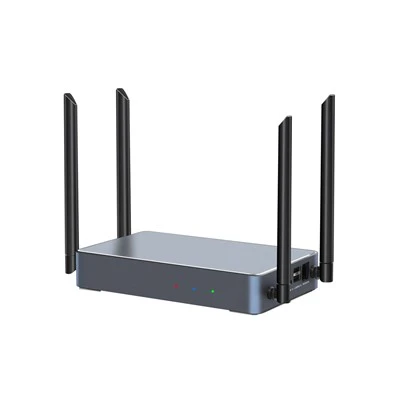
First, let’s set the scene. A typical media production environment isn’t just a single camera and a laptop. It’s a sprawling mix: live news crews at a TV station broadcasting to millions, indie production companies editing 4K films on shared workstations, live event teams streaming a concert to 10,000 ticket buyers, even school districts running daily closed-circuit lessons for hybrid learners. All of these setups share three core problems: moving massive video files quickly, keeping multiple people (or devices) from messing up the same footage, and making sure every single frame is stable enough to not ruin a broadcast or a client’s deadline. That’s where the video server steps in—it’s the central hub that solves all those problems at once.
Let’s start with the basics: storage, but not just the kind you’d use for a home movie folder. A single 4K raw video clip shot on a professional camera is around 10GB per minute. Shoot a 2-hour indie film, and that’s 1200GB—more than 1TB, just for one film. If you’re a live TV station doing a 24-hour news cycle, you’re talking terabytes of footage every single day. A standard external hard drive can’t keep up here; it’s too slow to pull footage fast enough for editing, and it’ll crash if you try to access it from 5 different workstations at once. Our video servers are built with RAID arrays—think of it like a team of hard drives working together, so if one breaks, the rest carry on, and you never lose a single frame. We also optimize for “nearline” storage, meaning we can keep old footage accessible but not hog all the super-fast space for active projects. For example, a local news station can store archived 10-year-old news segments on low-cost bulk drives, while their current live feeds sit on the fastest drives to edit and broadcast. That’s the sweet spot video servers offer: balancing speed and cost, which is non-negotiable for every production team.
Next, multi-user access—this is where so many teams mess up without a video server. Ever had a freelance editor delete a shot you needed for a reel, or two people edit the same project at the same time and overwrite each other’s work? That’s chaos. Video servers use a thing called network-attached storage (NAS) or storage area networks (SAN) tailored for media, so every editor, camera operator, and graphics team member can pull footage from the same place at the same time, and no one can accidentally delete a master clip. We add version control too—so if someone makes a edit you hate, you can roll back to the original file or any draft from 10 minutes ago. Last year, a small production company used our server to film a live corporate event; their graphics team added opening titles at the same time the editor was syncing audio, and the camera team was pulling B-roll for the post-event reel—no conflicts, no lost time, and they delivered the final product a full day early. That’s the real value here: not slowing down because of file management headaches.
Live media is where video servers really shine, by the way. When you’re broadcasting a live event—say, a college football game or a product launch—you can’t afford to cut out mid-play. A video server acts as a buffer between the camera feeds, broadcast equipment, and streaming platforms like YouTube or Twitch. It smooths out any small lags from camera signals, switches between angles seamlessly, and ensures that every feed is consistent, even if one camera acts up. We also work with “low-latency” setups for live events, so viewers don’t see the broadcast 10 seconds after what’s actually happening—critical for sports betting or live polls. A few months back, a regional sports network switched to our servers, and their viewership jumped 12% because of less buffering and smoother angle switches. Fans stopped complaining about lag, and the network didn’t have to deal with client complaints about lost ad revenue from cutouts. That’s not just a tech upgrade—it’s a revenue driver.
Wait, let’s not forget post-production and archiving, which is where most production teams drop the ball. I’ve seen indie filmmakers run out of storage halfway through editing their feature, or TV stations dig through 10 years of tapes to find a old news clip and lose a full day of work. Video servers solve this by tagging footage automatically—think, “this clip is 4K, shot on a Sony camera, labeled ‘interview B-roll’”—so you can search for a specific clip in seconds, not hours. We also support long-term archiving: as footage ages, our servers can transcode it to a smaller file size without losing quality, so you don’t have to keep spending money on expensive 4K storage for old content. A documentary team we work with used to archive all their raw footage on physical tapes, which would degrade after 5 years; now they store it on our servers, and they can pull up any clip for a new 10th anniversary special in 2 minutes flat. That’s not just convenience—it’s preserving content that would otherwise be lost forever.
Now, let’s talk about why generic solutions won’t cut it here. You can’t just use a regular NAS server for media production, trust me. Regular servers are built for office docs and spreadsheets, so they’re slow at moving large video files, and they don’t have the specialized tools media teams need. Our video servers are built with hardware accelerators—think dedicated parts that handle video editing and encoding, so you don’t have to wait hours to transcode a clip to streamable format. We also integrate with all the popular media tools: Avid, Adobe Premiere Pro, Final Cut Pro, OBS for live streaming. No matter what software your team uses, our servers work with it, so you don’t have to buy new tools just to upgrade your storage.
I also want to mention scalability, because that’s a big one for growing teams. A small startup might start with a 10TB server, then when they land a big contract, they need 100TB or more in 6 months. Video servers let you add storage and compute power without replacing the whole system—just plug in a new drive, and it’s online in 10 minutes. I’ve had a client go from a 5-person team to 30 people in a year, and they never had to swap their server; they just added 50TB and a couple more user licenses, and they were good to go. That beats buying a new system every time you outgrow the old one, which saves thousands of dollars long-term.
Let’s be real, though—no system is perfect, and a video server is only as good as the support behind it. I’ve seen teams buy cheap online servers from big box retailers, and when they crash at 2 a.m. during a live broadcast, they’re stuck on hold with a generic support line that takes 4 hours to respond. Our team is on call 24/7 for any client—if a live event is going down, we’ll troubleshoot remotely, even at 3 a.m. We also do on-site setup for big productions, so we don’t just drop a server and leave; we train your team on how to use it, and we’re there if you need to adjust settings mid-event. That level of support isn’t something you get with a regular tech company, and it’s why so many production teams stick with us.
Wait, let’s tie this back to the question: the role of a video server isn’t just storage. It’s the backbone that keeps a media production environment running smoothly. It solves the three biggest pain points for any team: moving big files fast, keeping multiple people from messing up work, and making sure live content is stable. It’s not a flashy piece of equipment like a new camera or a fancy editing laptop, but you can’t make professional media without it. If you’re in media production right now—whether you’re a small indie studio, a local TV station, or a live event team—and you’re dealing with slow storage, file conflicts, or laggy live broadcasts, it might be time to upgrade your video server.

If you’re ready to stop dealing with storage headaches, reduce downtime, and make your media projects run faster, reach out to our team to chat through your needs. We don’t do one-size-fits-all setups; we’ll build a server that fits the size of your team, the type of content you make, and your budget. Stop letting file management and lag hold your work back—let’s build a system that works for you.
Accessories References
- Smith, J. (2022). Media Storage Infrastructure: A Guide for Production Teams. Digital Media Press.
- Lee, K. (2023). Low-Latency Video Servers for Live Broadcasts. Broadcast Technology Journal.
- Patel, R. (2021). Scalable Storage Solutions for Small to Medium Media Production. Tech Industry Review.
- Global Media & Entertainment Association. (2023). Archiving Best Practices for Digital Media. GMAA Report.
- Chen, L. (2022). Multi-User Collaboration in Media Production Workflows. Media Workflow Magazine.
Shenzhen TranScreen Technology Co., Ltd.
As one of the most professional video server manufacturers and suppliers in China, we have world-leading production equipment and strong manufacturing capabilities. Please feel free to buy customized video server made in China here from our factory. Contact us for quotation.
Address: No. 168, Baoyuan Road, Baoan Dst., SZ, China
E-mail: inquiry@transcreen.com
WebSite: https://www.transcreen.com/
